Showing posts with label Social Media. Show all posts

Sunday, December 3, 2017

Week 14- Professor Jones’ IMC Campaign and Social Media

For my promotional strategy class taught by Benedictine University Business Professor Dr. Nona Jones, we were assigned to create an integrated marketing communications campaign also known as an IMC campaign. This campaign combined the multitude of different communications needed to successfully launch a business or a product. This semester long project took many different parts of business and smashed it into one large concept, including social media.

For my IMC, I created the company Cyclone Watches. The concept of Cyclone Watches was a watch manufacturer that produced watches that ran on solar power and were created with 100% recycled materials. For the social media campaigns, I created a Facebook, Twitter and Instagram page.


The purposes of these pages were to connect to my target markets of millennials and young professionals by attracting them to my company. This went with my IMC campaign’s goal of creating more brand awareness among the two groups.

I also married consumer promotions with my social media pages by creating an Instagram contest. The contest, which was designed to promote environmentalism, had the customers post a picture using a hashtag for the opportunity to win a free watch.

For these reasons, social media played a key role in the design and goals for the Cyclone Watches’ IMC campaign.  

Week 13- Black Friday, Cyber Monday and Digital Marketing

The holiday season started as it always does, with families celebrating Thanksgiving with each other, giving thanks for all that they are given and will receive. Then comes the business side of the season. Black Friday has come synonymous with the consumerism, in many ways embodying the idea with people rushing to stores to get a holiday deal. If that was not enough, it appears that Cyber Monday may start becoming the best holiday way to shop.


With all the attention being drawn to the holiday shopping season, businesses understand that being ahead of the curve is critical for them to get the most consumers on Black Friday and Cyber Monday. This has increased the digital ads that have surrounded the companies as more are trying not only to get their customers in the doors on Friday, but for them to use their website on Monday.

Using things such as click advertisements, social media promotions and banner ads, businesses are using the internet to grab more consumer's attention. Social media is filled with updates on the door-busting holiday deals and when the Black Friday season officially starts. The more the consumer knows about the season, the more likely they will come to the business on one of these "holidays". Social media truly plays a significant role in the holiday shopping season.

The deals have begun to flow and the advertisements have become more digitized, giving more information than drawing in the eye. With coupons and deals, the marketing does not have to be the most creative as the ad’s deals will draw in the customer over the advertisements design. In a world where it seems simpler is better, the same goes for digital advertisements during the holiday sales season.  

Tuesday, November 21, 2017

Week 12- Hootsuite Certification

Understanding how to organize and maintain your social media presence is critical to the digital success of your company. Without an organized social media plan, the company would likely think they are wasting money on social media that is not working. Luckily, Hootsuite is designed to help keep businesses organized.

Hootsuite is the online social media service that can connect a multitude of social media pages onto one easy to navigate dashboard. This allows the user to make posts onto multiple social media sites simultaneously, monitor activity on multiple sites at the same time and respond to fans or customers quickly and easily.


Another service that Hootsuite provides is online certification exams. These exams cover different types of social media including Hootsuite Platform Certification, Social Marketing Certification and Advanced Social Advertising among others. Hootsuite also takes you through online courses aimed at helping you to learn the most about the certification you want and how to best work your company’s online operations.

Once the courses are completed, you can take the test and earn your certification. This not only makes you more efficient using the internet for your company, but also makes you feel as if you achieved something. Hootsuite Certifications should definitely be used if you are trying to build the online presence of your company.

Tuesday, November 14, 2017

Week 11- Facebook Ads and CTR

Facebook ads have changed the game for social media marketing, with many companies using them as their first connection to many online consumers. Last week, I discussed how to implement and utilize Facebook ads and ad campaigns. Now it is time to discuss the importance of Facebook ads and their Click-through rate or CTR. CTR is the amount of times an ad has been clicked by users over how many times the ad has been shown. For companies to be successful on their ad campaigns, they want to have the highest rate.

Image result for facebook ads

The idea of companies is to optimize their ads so that they are clicked the most often so that the ad will be seen by more consumers. It may sound easy, but with many companies competing in the same way the competition is always fierce. According to an article by Digitalmarkinginstitute.com, there are five different ways to get better results from your Facebook ads:

1. Stick to the News Feed on Desktop
2. Speak to your Target Audience
3. Make your image stand out among the rest
4. Split your large audience into smaller, more focused audiences
5. Test different images for the same campaign then after a while, choose the best

These five strategies will help you optimize your company ads CTR and I would highly recommend reading the article for more information. 

Sunday, November 5, 2017

Week 10- Facebook Ads

Many businesses understand the importance of digital marketing and social media for their company’s success. Perhaps the most significant of the social media platforms, Facebook, does a good job attracting the average social media user to a company’s page with their Facebook ads. These ads can be set up by any person who has a Facebook page and a budget, all it takes is a little direction.

The first step in the creation of a Facebook ad is to access the Facebook Business page and clicking the create an Ad button. Once selected it will take you to a page called the “Ad Manager” that will look like this:

Facebook Campaign.PNG

Once here, you may select the type of ad campaign you are looking for. For this blog I am going to do engagement since I am hoping to drive up my Facebook page’s following and awareness. When you choose your consideration it will take you to the bottom of the screen where you will name the ad campaign like so:

Facebook Name.PNG

After naming your campaign it will take you to a page where you will be able to select your audience and budget for your campaign. Since my Facebook page is for college credit and most of the followers attend my school, I will put my audience for the town my school exists in and the demographic for people in college. This is shown below:

Facebook Audience.PNG

When this section is completed, you are able to set a budget. This has a very large range that you may use, but I will show an example of what a college kid may be able to afford. You will also be able to either use a preselected time period or create one for yourself, I am going to create my own time frame.

Facebook Ad.PNG

When you select continue, it will take you to a page where you can either select the page as a whole as an advertisement or make a selected post your ad. Since I want more readership to my blog, I am going to make a post one of my selected ads:


Facebook Ad Page.PNG


Facebook does a nice job letting you see how your ad will look on all different types of mediums from mobile to desktop. Now all you have to do is confirm your ad and the process is complete! Enjoy your ads and the attention they garner!

Thursday, October 26, 2017

Week 9- Using Hootsuite

Last week, I discussed the social networking application, Hootsuite, which allows the user to be able to post and manage multiple social media pages on one easy to use platform. Now, I will quickly run through how you will connect Hootsuite to your social networking sites and how to make your first post.

The first thing you want to do is go to the Hootsuite dashboard by logging into your Hootsuite account. Once there, you will want to click on the “profile picture” icon in the top right corner which will open a drop down menu (Pictured below). In the drop down menu, select manage social networks.

Hootsuite8.PNG

Once selected, Hootsuite will take you to the member page where it will show you the details of your membership and a section that allows you to add a private social network (as pictured below. Your page will not look exactly the same as mine already has my existing networks showing, but once you add social networks they will show in the same way).

Hootsuite2.PNG

To add a private social network, click on the tab that has a green “+” sign and private network. This will take you to a menu screen (pictured below) that will show you all of the social network options you may choose including: Twitter, Facebook, LinkedIn and others. SImply click on the one you’d like to add, put in your profile credentials and accept Hootsuite’s terms and agreements for each page and you will be connected!

Hootsuite1.PNG
The next step is to make a post. Once you are returned to the member page you will want to click on the “Send To” bar above your main credentials and select the networks you would like to post your message to (shown below).

Hootsuite3.PNG

Once the networks are selected, you can make your post. Type the message you want to post to your selected social networks by typing it into the “Compose Message” bar to the right of the “Send To” bar. For this test, I am simply going to put “Testing Hootsuite” (as shown below).

Hootsuite4.PNG

By clicking the “Send Now” button, your post will be published to the social networks that you have selected. You can see my posts below:

Twitter:
Hootsuite5.PNG

Facebook:
Hootsuite6.PNG

LinkedIn:
Hootsuite7.PNG

Now you will be able to successfully use Hootsuite to make a social media post on multiple social networking sites. Good luck and happy networking!


Sunday, October 22, 2017

Week 8- Hootsuite

With the rising use of social media by companies, it has become more important for these companies not only to have many different social media pages on different sites, but also to keep them uniform to the company’s central idea. The website Hootsuite allows company’s to do just that.


Hootsuite allows a profile user to connect and control multiple social media pages from different social media websites and put it in one platform. This allows the user to be able to make the same post across all their social media pages at the same time and allows them to manage how their company is doing on social media and how the consumers are reacting to the social media posts. This makes it much easier for the company then to have to go through each one of the different websites and making separate posts.


Hootsuite allows both free and paid options which is nice if a company does not have the budget for monthly payments. Hootsuite also allows you to schedule posts at certain times so if there is a sale or a special post a company wants to make for a certain time, Hootsuite can help them with that. Social media may be one of the most significant parts of business in the modern world and Hootsuite is making the task of social media management easier for everyone.

Thursday, October 12, 2017

Week 7- Facebook Insights

Facebook can be seen as one of the most popular social media websites that the Internet can provide. With its high level of popularity and recognition, it is no wonder that more and more companies are creating Facebook pages to further engage their customers. Facebook is very helpful with the layout of their Facebook pages and even provide statistics for the page creators with a thing called Facebook Insights.

Facebook Insights allow the creator of a Facebook page to see the kind of traffic their page is receiving, this includes statistics of views, page likes, reach and page followers. Below is an example of the a Facebook Insights page for a page called JobLife:

Overview.PNG

The Insights page is very user friendly as evidenced by its simple page design and clear labels for the page. It also allows the page creator to see how their page is doing over time in certain areas which allows them to better strategize their online communications. JobLife seems to be having a successful month currently with a boost in both page views and page likes, but may need to increase their reach.

Another helpful tool that Facebook Insights can provide is breaking down the people who view the page into many different categories like age, gender, location or even language. This allows the creator of the page to see how they should organize their posts, who they should target and the best way to do so. Below is how JobLife’s fans are broken down:


The JobLife fans seem to break down in a rather simple way with most of the viewers being between ages 18-34. It also appears that there are a few more women who look at the page than men and most of the views come from South Africa. These statistics could provide the creator a simpler way to connect to their fanbase.

Facebook pages are becoming more crucial to a company’s social media success in recent years. Luckily for new or inexperienced users, Facebook has provided a simple and user-friendly way to understand how to get the most out of their page with Facebook Insights. Once one gets an understanding of Facebook Insights, they will be able to see their page (and in turn their company) gain a bigger following.

Thursday, October 5, 2017

Week 6- Social Monitoring

With the rise of social media, businesses have never had a more direct access to the views of the people. When making social media posts about businesses or people, there are ways for those companies to be able to see what people are saying about them. This process is called Social Monitoring, which is defined by Brandwatch.com as “the act of using a tool to listen to what is being said across the internet; monitoring media not just from traditional publishers, but on millions of social sites too.”


Social monitoring has helped give businesses an advantage on not only knowing what people are saying about their company, but also how they can use this information to adjust their business to best fit the consumer’s wants or needs.With this, a company can know when it is best for them to do certain ad campaigns, adjust their customer service or what times of year the consumers are talking about their company for advertising.


There are many different Social Monitoring websites that companies can use, but I will only discuss the free sites that I used during class, Google Trends and Social Mention. I will use a company that I previously worked for, The Kane County Cougars baseball team, to give you an example of how these sights work.


With Google Trends, it monitors the amount of Google searches are done about the certain topic or company you want to see and puts the “trending” on a 0-100 point scale with 100 being the most times the term has been searched. Looking at the Kane County Cougars trend over the past year, it becomes clear that in the heart of their season, about mid-July, the term has its highest search total. Its lowest search total comes in the middle of their offseason, about mid-November. These trends make sense as the term follows the team’s season, so it may be good for the company to put their best ad campaigns during the turn from low to high searches (beginning of April).


As for Social Mention, it does not monitor all of the most well known social media sites but it does have Twitter, Reddit and Wordpress among others. For the Kane County Cougars, the posts are not very recent, but that is not surprising with their season ending about a month ago. What the website does help you see is the actual post people are making regarding the company which is a helpful tool for a business. It also allows you to see the reaction that people have toward your business by ranking the posts positively, negatively or neutral which is another helpful way to hear what people are saying.

So if you are working for a company and they would like to know how the company is doing on social media, these websites will help you to find what the customers are saying. Social monitoring is definitely an important skill that you should utilize for the future.

Thursday, September 28, 2017

Week 5- LinkedIn: The Online Resume

As many job-hunters today have noticed, many organizations have become more and more digital as technology has grown in society. One of the biggest resources that employers utilize in the modern job search is the social media site LinkedIn. LinkedIn has become the online marketplace for both job-hunters and employers as people can connect with one another on a professional level, much different than other social media sites.

One of the benefits of LinkedIn has is being able to connect people from different organizations on a professional level. If you have worked for an employer and would like to stay connected with people in the field while looking for other opportunities, LinkedIn will allow you to connect with these people. Whether it be by a basic name or company search or sharing the connection information in person, it has not been easier to communicate with people in your job field. As the saying goes, “It is all about who you know” and LinkedIn truly takes that to heart.


Another benefit of Linkedin is the fact that it puts your resume online. This may not be the resume you think of when you hear the word, but it is essentially the same principle. Linkedin allows you to list your job experience, education, skills, awards and memberships and other factors on your profile, making it easy for employers to see what you can bring to the table.

LinkedIn is one of the most beneficial online sites available for people in the professional working world and one that job-hunters should get on. Although I have discussed a lot about what LinkedIn is, I have merely scratched the surface and there is much more that job-hunters should look into. I highly recommend that job-hunters make an account and try it out for themselves, it can only help you in your journey for a new job.

Thursday, September 14, 2017

Week 3- My First Attempt at a Facebook Page

This week in our class we learned how to setup a Facebook page and how to get people to follow and like our pages. The blog I created, Logan Hanson’s Digital Marketing, is right now the very basic that a Facebook page can be, but I still recommend that you all follow or like the page. Although I am rather new to Facebook pages, this was not the first page that I created.


Way back when I was younger and had a little more time on my hands, about two years ago, my friend and I decided we were going to jump start our college experience by creating our own sports blog, Left N’ Right. This included our own webpage (using Weebly.com, but now I am a fan of blogger), our own Gmail account, Twitter page and of course a Facebook page. The excitement of having people read our opinions and comment on our posts pushed us to a strong start, but the inexperience of social media marketing made it difficult to remain dedicated.


Left N Right.JPG


This is the Facebook page of my first co-authored blog, Left N’ Right. As my friend and I soon learned, our inexperience of social media marketing would be our downfall.


Most of our issues stemmed from lack of time and an overall lack of perseverance. Both being young college students striving for degrees and future jobs in the workforce made our commitment to a “fun hobby” difficult when put up against studying for exams and finishing homework. The other problem was that it felt like we were doing it all for nothing. After an initial growth of followers from our friends and family, the follows stopped coming, the viewership went down and with little time to create new blogs or posts to social media, it seemed that stopping was the easier and most viable option since not many people were reading anyway.

Although the first blog and website did not go the way that either of us wanted it to go, it was a learning experience and drove me to where I am today. Without that struggle, I may not be taking this Social Media Marketing class and learning how my next blog (this blog) can be a successful one. It is because of this that I have no regrets and, maybe some day, Left N’ Right will rise from the dead and get the attention and help it deserves.

Thursday, August 31, 2017

Week #1- Making My First Blog

My name is Logan Hanson. I am a Senior communications major at Benedictine University. Today I am learning how to make my first blog post for my social media marketing class and I am going to walk you through what I have learned in this class so far.


The first thing that the class learned was how to make the blog itself. It was really quite simple as we used a Google account to create a blog using the website Blogger.com. Once logged in using the Google account, we then needed to name the blog and select the blog’s URL. As you can see the name of my blog is "Logan's Marketing Blog" and the URL for the blog is https://logsmarketingblog.blogspot.com/.


The next thing we were taught was how to take screenshots. Professor Kelsey showed us how to take screenshots on our PC’s (he briefly explained how to do them on a Mac as well, but since we are on PC’s, I will focus on that) using the snipping tool. Once you have selected the snipping tool, it will tell you to drag the “+” cursor around the area you want to capture. Once the area is selected, the “snip” will be opened in a new window. If you are satisfied with the ”snip”, you can save it to images to use on your blog like so:


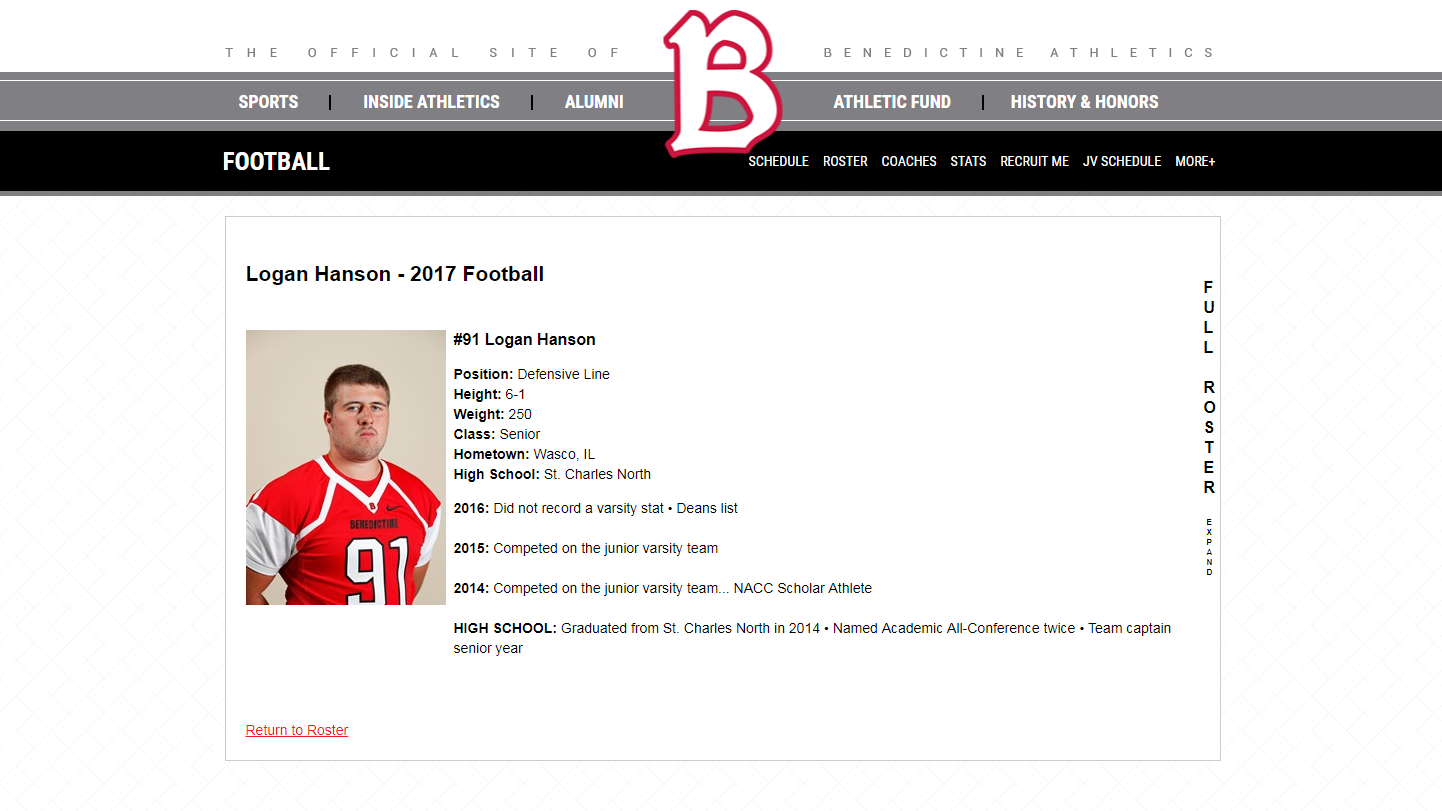
My Football Picture.PNG
That is a pretty handsome guy if I do say so myself!


Well that is all we’ve learned through the first week of class so far, but I am excited to learn and show you all more in my future posts. Until that time, live long and prosper!

-Logan